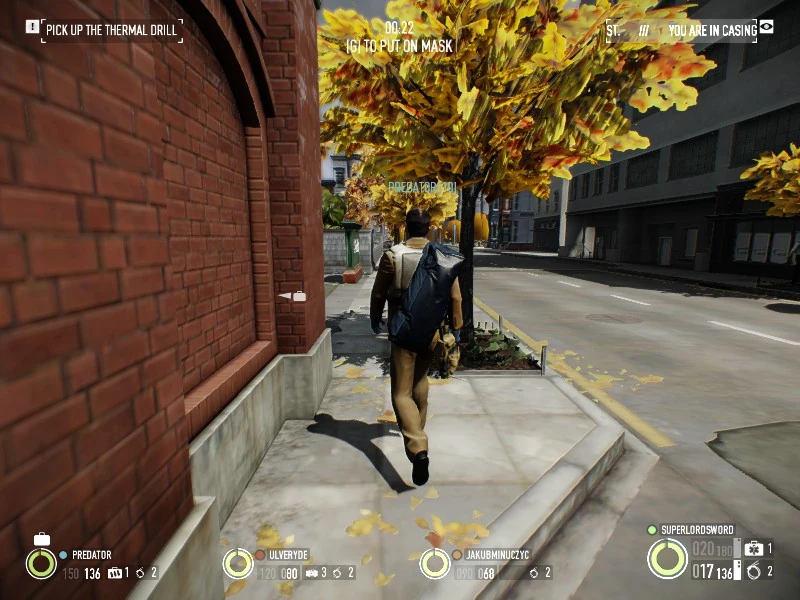
Stealth is a gameplay feature that first originated in PAYDAY: The Heist in a very basic form and was later developed much further with the release of PAYDAY 2, which introduced many more stealthable heists, new mechanics, equipment to aid the player in remaining undetected, and several skills that influence stealth gameplay. Around half of the heists in PAYDAY 2 can be completed entirely in stealth, many without killing a single cop or guard. Completing a heist in stealth can oftentimes be preferable to fighting through it in loud, especially on higher difficulties. Successfully completing a heist in stealth in PAYDAY 2 will award an EXP "Stealth bonus" for the next completed heist after that.
PAYDAY: The Heist sees the beginnings of stealth; Casing mode is implemented to a certain degree, as several heists will begin with the players in this state to allow for quick and easy map scouting before beginning the heist proper. While in Casing mode, the heisters cannot be detected unless they bump into a guard or stand too close to one. The player cannot interact with objects in Casing mode and seeing as there is relatively little stealth involved, almost every heist in the first game will go loud once a player masks up and leaves casing mode. Whenever one player ends casing mode, all players will leave casing mode at the same time.
A large number of civilians dot the maps, most usually in heists where stealth is the main approach where they pose hindrances to the crew by way of detection. Unlike guards and cameras, civilians cannot detect a player in casing mode, but they will quickly panic at the earliest sight of a weapon-wielding masked heister, and cannot be pacified if fully alerted. Panicking civilians will usually either seek out the nearest viable panic button, call the police using their phone, or simply run outside the map boundaries and despawn, with the alarm going off when that happens.
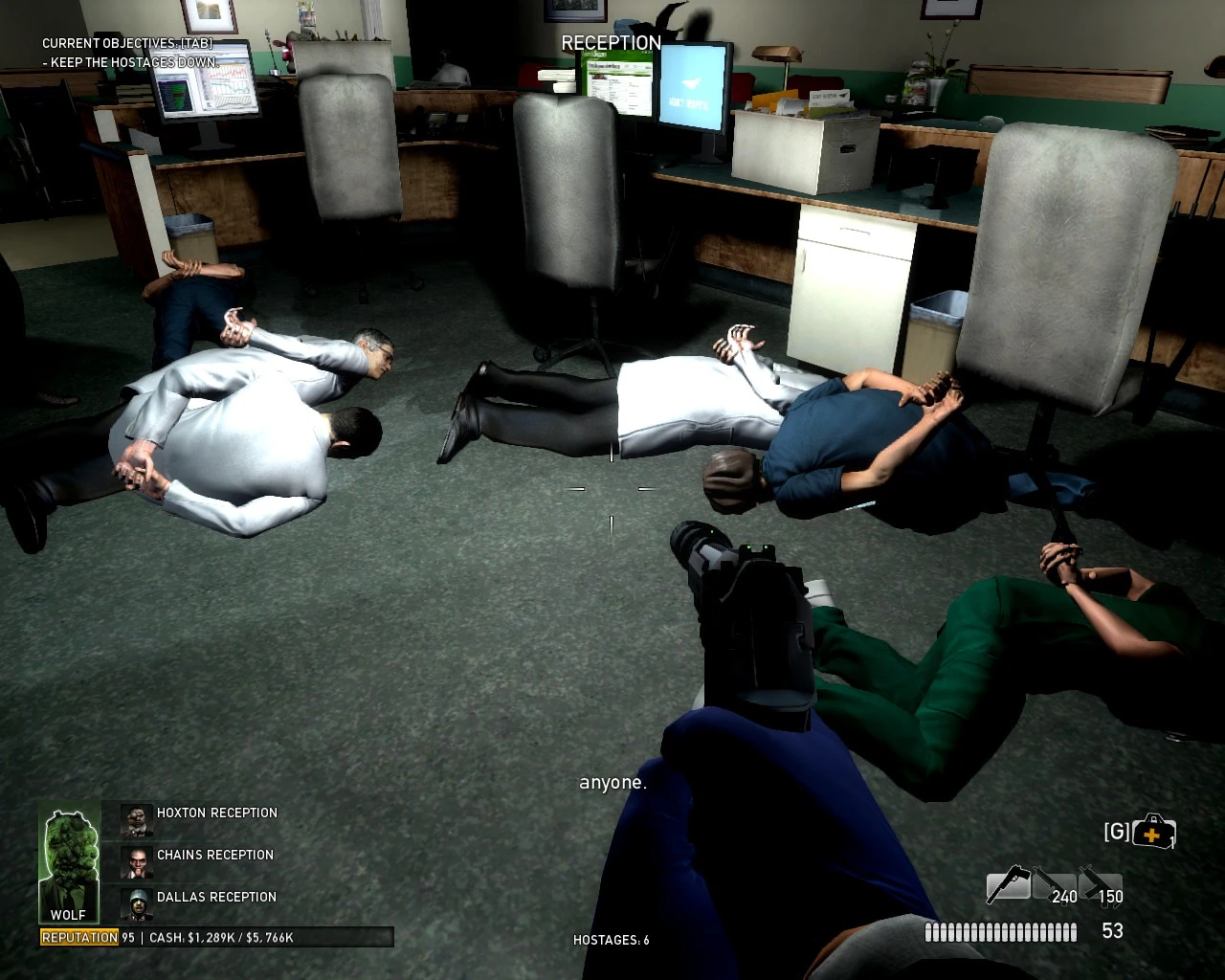
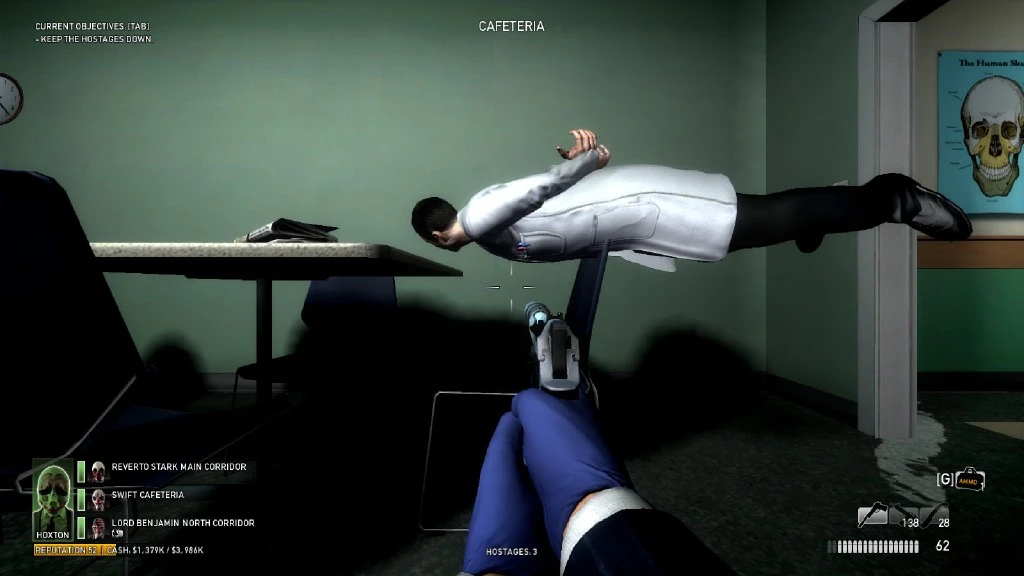
Players may shout at civilians to intimidate them and get them to lie on the ground. A shout is a multipurpose action that both players and AI teammates can perform. It is done by pressing the same button used for interactions. This temporarily gets them to stay down in one spot, keeping them out of the line of fire or delaying their attempts at contacting the police, though if not kept a close eye on they will eventually rise up again and resume their phone call(s) or race towards the nearest source of alarm. Civilians on the ground can be restrained with cable ties to render them immobile until freed by the police, preventing them from raising the alarm. The amount of tied hostages is displayed on the bottom of the screen.
Heisters are discouraged from killing civilians; killing a civilian will deduct funds from the heist payout by way of cleaner costs.
All players originally start out with 2 cable ties but it is possible to get more by getting the respective upgrade(s), up to a total of 35 cable ties per player. This is done by investing in the assault tree.
Some tips to hold in mind when stealthing;
The importance of cable ties is dependent on the mission.
Although cable ties are of limited quantity, saving them up is also completely useless as they do not give any benefit when kept in inventory until the end.
Cable-tied civilians on the No Mercy heist, where doing such is crucial.
Cable ties are very important in Counterfeit or No Mercy as civilians who are tied down cannot get up to escape or trigger the alarm, while in Diamond Heist or Slaughterhouse they are less useful as there are fewer civilians. In Undercover they are completely useless as there are no civilians in reach.
In First World Bank or Panic Room, tying down the bank manager or Chavez is an option to obtain the keycard or the key without killing them (as killing the bank manager will incur cleaner costs).
Tying down civilians in areas off the main path is an option as they will not be released if no law enforcers pass by.
In large maps such as Heat Street or Green Bridge, avoid using cable ties on civilians when not intending to stay near them for long, it will be difficult for the crew to reach them later if these civilians are chosen for trade.
In any heist other than Heat Street or Green Bridge, keeping some cable ties and tying down a hostage right before performing a trade is not advised, as this is only available when there are civilians nearby.
In PAYDAY 2, stealth has been given a significant overhaul. Stealth is now much more in-depth, with much deeper and complex mechanics and much better integrated into the game. Unlike in the previous game, it is now possible to fully complete heists in stealth, and doing so is subtly encouraged, as some achievements are only obtainable in stealth and stealthing a heist allows the player to avoid fighting their way through it loud. Lastly, some heists are stealth-only and cannot be completed in loud.
Civilian Mode
Civilian mode is the least detectable mode of stealth for PAYDAY 2. In civilian mode, heisters simply cannot be detected by guards or civilians though they can still set off laser grids if walked through.
There are two key differences between civilian mode and casing mode:
The player is completely devoid of any gear. This includes weapons, deployable equipment, and masks. These are usually stashed somewhere on the map.
The player cannot spot guards or interact with mission equipment except they can use slot machines and pick up their gear, at which point the player leaves civilian mode and transitions to casing mode.
Civilian mode is available in the following heists:
Casing mode is the next most detectable mode of stealth, and is available in all heists that don't start off "loud", during which special actions can generally be taken and NPCs respond to players differently than in "loud" gameplay. Typically, heists that use casing mode will have a large civilian population and strategically placed guards, forcing the crew to try and blend in and stay undetected to gather info first before enacting their plan and executing on it.
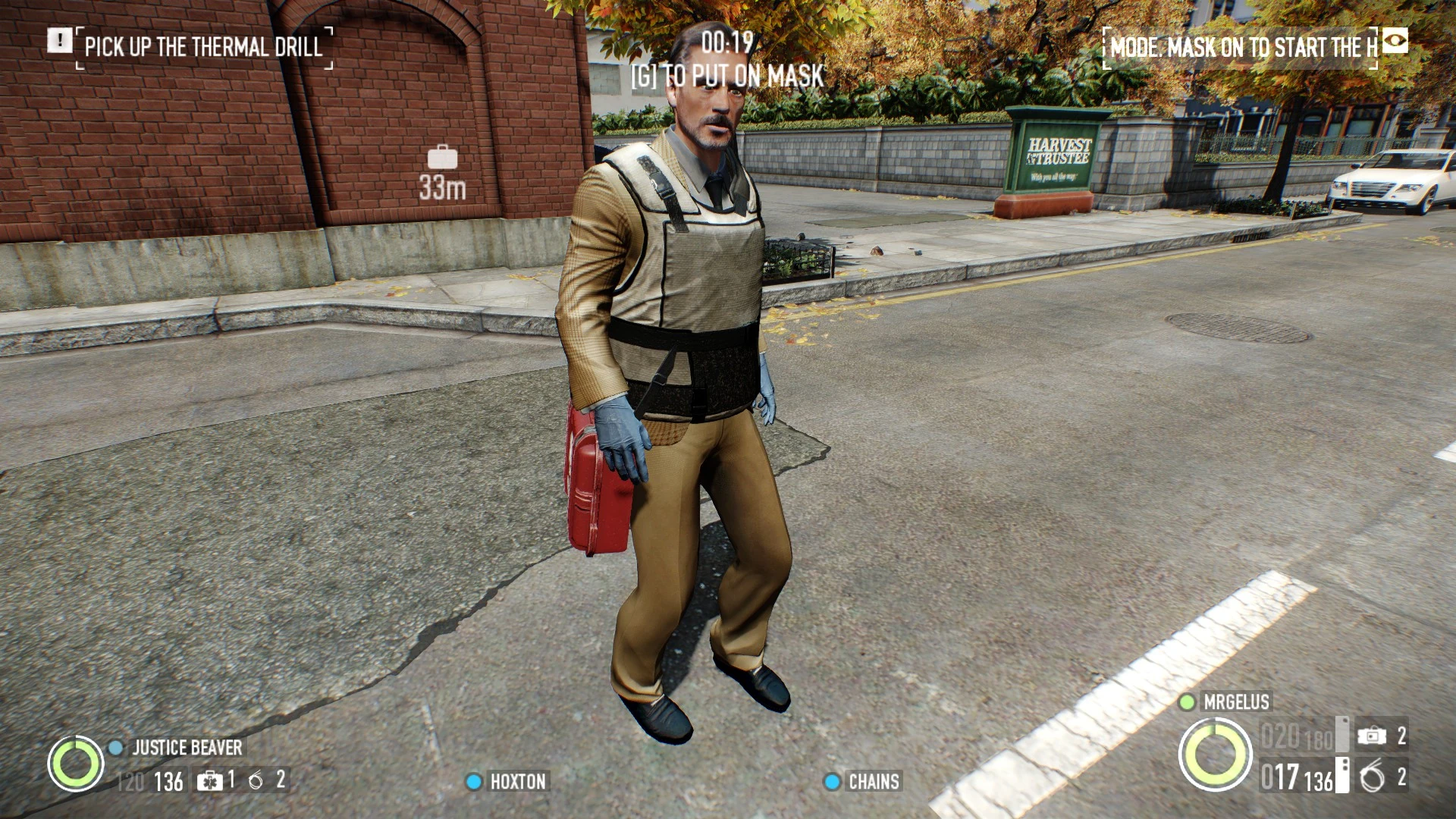
Example of a player in Casing mode.
Many heists will initially begin in casing mode, with players unmasked. Casing mode can be identified by the lack of a weapon on the player's screen, a mask-on notification and a scrolling "casing mode bar" on the top right in place of the police assault bar and hostage counter seen in loud.
In Casing mode, players may:
Move around the map with immunity to detection by civilians and elevated resistance to detection by guards and cameras
Shout out guards, civilians, and cameras
Actively mark guards and cameras (requires the Basic Chameleon skill)
Passively mark guards and civilians (requires the Basic Sixth Sense skill)
Duck, jump or sprint (a on-screen message will be displayed, indicating that suspicious actions are not allowed)
Engage in combat
If a player triggers combat (e.g. by walking into a guard or begin detected) that player will automatically mask up and casing mode will immediatly end for said player, even if stealth hasn't been broken.
Interact with objects that require an interaction wheel, such as placeable heist equipment, packages, loot and loot bags, reviving players, etc.
Climb ladders
Deploy equipment, such as ammo bags or first aid kits (the "deploy" key being the same key to mask up)
Receive damage through any means (e.g. falling a far distance, struck by friendly explosions, touching fire)
Once a player puts on their mask, they can still perform both casing and normal actions, with one key exception; masking-up cannot be reversed and the mask cannot be removed once put on. However, there are three heists that are a notable exception to this rule:
The Alesso Heist; if the players manage to stealth the heist to the very end, then during the stealth escape sequence, players are required to take off their masks in order to blend back into the crowd and exit the level.
No Mercy; after setting up the fake sentry guns, players must head over to the locker room and change into medical scrubs to pose as doctors and head over to the ICU.
The White House; after taking all the presidential pardons and going back to the airlock, players must take off their masks to blend with the other Murkywater guards. From there, they have to reach the extraction point before time runs out (that is, before Murkywater realizes the ruse) to escape.
Casing mode can be ended either voluntarily, by holding the secondary interaction key and putting on a mask, or involuntarily, by getting detected or setting off an alarm, which triggers the mask-up automatically. Once a player masks up for either reason, assuming any alarms haven't gone off and made the heist go loud, the player enters stealth proper (see below) and can be detected normally, but can also perform the full range of interactions. Whereas civilians will never detect a criminal in casing mode, they will detect a heister wearing a mask and become alerted, so care must be taken to either avoid civilians or handle them quietly.
Casing mode immediately ends involuntarily if any alarms go off. A message will generally appear, indicating what triggered the alarm, and players will automatically don their masks. Once this happens, the heist will go "loud", and the police assault will begin soon after, according to the difficulty level.
There are a number of events that can set off the alarm:
Civilians, cameras, guards, or other NPCs detect and report suspicious activity (detected players, un-silenced weapons discharged, explosions, dead bodies discovered, broken windows, loot bags etc.)
Players fail to respond to the pagers of dead guards appropriately, or respond to too many pagers
Map environment-related triggers, such as tripping laser grids
Typically, one's primary objective in casing mode is to perform initial heist reconnaissance to gather data on current map variations, guards/cameras positions and general locations of objectives.
The rule of thumb when it comes to scouting in casing mode is to maintain a minimal detection risk, so choose your gear wisely. If needed, investing in the Ghost and Fugitive skill trees can help with maintaining a high-concealment but loud-capable build.
Due to different maps having different variations, perfecting the use of Casing mode requires a lot of practice and considerable investment of time to build up enough practical experience. Certain skills can help make life easier by enabling one to perform additional actions while in casing mode (e.g. Sixth Sense).
Maintain your distance, as cameras and guards can still detect a low detection risk player if they linger nearby long enough. Avoiding guards is also crucial in preventing alarms, as accidentally bumping into one or otherwise getting spotted may cause him to call for backup or open fire, compromising the mission.
It may help to have 1 or 2 crew members masked on to assist with neutralizing NPCs, bagging bodies, answering pagers, etc.
When a guard has not detected any suspicious activity, any hit to them will be fatal, be it from a firearm, melee weapon, or throwable. Guards generally patrol along a semi-random route between a set of predetermined waypoints, which are often located in busy or important areas. When a security camera is destroyed, the nearest guard may respond and investigate it. If a guard spots the broken camera and is not killed or neutralized in time, the guard will raise the alarm.
If a guard spots a criminal, he will yell at them to stop, pause for about 5 seconds, move slowly to the caught heister, and attempt to cuff them. If he is successful, that player will be immobilized and the guard will then raise the alarm after a moment. This behavior can be exploited by crafty players as they can potentially lead a lone guard into a more concealed location before taking him down, provided the caught player does not shoot or move at least 1.7 meters from where they were first spotted once the guard issues the order to stop, as doing either will prompt the guard to open fire, alerting all nearby NPCs.
When a guard decides to raise an alarm, the guard will stop, draw his weapon, and call an operator using his earpiece. If the guard is killed at any point before the call is finished, then no alarm will be sounded. It is best to eliminate a guard before he draws his weapon however, as he may fire his weapon and alert the entire area. Whenever a guard is killed by a gunshot that is not a headshot or a shotgun blast, there is a 10% that his weapon will go off upon his death (a misfire upon dropping the gun, etc.), which will alert all nearby NPCs, so beware!
After a guard initiates a handcuff attempt, there is a cooldown of four minutes before another guard can attempt it, which is tracked separately for each player. Getting spotted within this cooldown will result in the guard immediately drawing his weapon, firing at the player they spotted, and calling the operator to raise the alarm.
If a guard is killed during the stealth portion of a heist, then a player will have to answer his pager within a short time limit, or else the alarm will go off. See the relevant section below for more details.
A guard will raise the alarm shortly after detecting any of the following:
Unsuppressed gunfire, including unsuppressed Sentry Guns (~45m alert range for player-fired weapons and sentries, ~25m for NPCs)
An explosion (grenades, RPGs, shaped charges, etc.). Note however that Molotov Cocktails can be used at a distance of 15m away from guards without being detected by anyone.
Players (except in civilian mode)
Dead bodies
Bodybags within 19 metres of a guard's line of sight and any other type of bag within 18 metres, though bags that are spawned on set (e.g. Thermal Drills on Bank Heists) or through an event (Cage Parts) will only alert guards if they have been picked up and dropped by a player.
Dominated guards
Cable tied, panicking, or pacified civilians
Broken cameras (on rare occasions however, the guard will simply stare up at the camera, wave at it and then leave it alone. If this happens, other guards will also ignore the broken camera.)
Active drills and saws (thermal drills waiting to be set up won't cause any suspicion, though their equipment bag may cause a brief spike in their alert level until it snaps into place and becomes interactable)
The noise of a running, unsilenced saw motor or the use of a silenced saw on any surface within 10 meters of guards or civilians (Note that running a silenced saw in the air without hitting anything will not cause alarm regardless of proximity to NPCs)
A deployed Sentry Gun, regardless of whether it is firing or not
However, a properly placed Sentry Gun can kill a guard before he has a chance to raise the alarm
Cracked or broken glass in windows and skylights
Being affected by ECM Feedback (though the ECM Jammer will temporarily prevent the guard from raising the alarm)
A device that is currently in the process of being hacked (e.g. the voting machines in Election Day Day 2 and the office computers on The Big Bank).
Once the hacking is complete, and the device is fully hacked, then it will not longer alert guards anymore after that.
There are some exceptions, however, as certain devices will still prompt a guard to raise the alarm after it has been successfully hacked (e.g. the server computer on Big Bank).
Certain open doors (e.g., the lab door of Big Oil Day 2 or the bookshelves on the Framing Frame Day 3)
If a player intends to intimidate a guard, they must be in close to mid-range. After a guard spots a player, the player must try to dominate him before he draws his gun, in order to maximize chances of him backing down. In stealth, shouting the guard down will immediately make him get on his knees and cuff himself. One player must then answer his pager. Note that you cannot move dominated guards like with hostages, and Joker doesn't work in stealth. This can be used to pacify a guard without risking him firing his weapon, after which he can be dispatched and put in a body bag, or left alone if no other guards patrol the area.
If a player attempts to intimidate a guard and the guard does not back down, the guard can approach the failed dominator and handcuff them. The player must then take a full minute to remove their handcuffs unless assisted by a crew member. They can also immediately handcuff a player within a second if the guard happens to be alerted within 1 meter of an unaware player. The guard who has successfully cuffed a player will raise an alarm shortly afterwards. A cuffed player is considered incapacitated for nearly all intents and purposes, even incrementing their (non-bleedout) mission summary Downs stat by one, and if it happens in solo play with no AI, the mission will automatically fail in 10 seconds. This is likely, despite them being able to pick their way out within a minute, to avoid players abusing this mechanic in a loud mission, as cuffed players will not be targeted and are completely immune to damage.
To counter a failed intimidation, the player can try to melee the guard and knock him down, then attempt to intimidate him again. However, during this process, the guard may fire his weapon, which will alert any guards or civilians who are in range of the sound.
As in most stealth games, guard behavior in the game is unrealistic, but implemented for the sake of gameplay:
Guards have very poor peripheral senses, and can only really see what's directly in front of them, up to a certain distance. However due to the way Payday 2 handles vision, they have nearly infinite vertical vision range, as long as it is not obstructed by solid surfaces.
Because detection is a gradual process, if a heister is fast enough and has sufficiently high Concealment, then guards can fail to spot a heister peek out from behind cover and then quickly hide again, even if it happens right in front of them.
Guards won't notice when normally locked or closed doors have been opened, with the exception of certain doors.
Likewise, guards will not notice opened shipping containers and wooden crates either.
Even more egregiously, guards will not even react to an open bank vault door, with the notable exception of Shadow Raid.
Guards will, however, notice a broken window and immediately call the police, who will respond in force.
Similarly, guards will not react to any missing items (such as stolen paintings in Art Gallery and Framing Frame Day 1)
They cuff players from the front, which allows the captured heister to eventually pick their way out of the restraints. This is strongly trained against in reality for that very reason.
In third person captured heisters have their hands behind their back, however.
They cannot see through certain semi-transparent surfaces (such as the blinds in some offices in Breakin' Feds or Firestarter Day 2) even though the player can do so.
Pagers
If a guard is killed or dominated during the stealth part of a mission, his pager will start beeping after 2-4 seconds. If it doesn't receive a response in 12 seconds, the pager operator on the other side will raise the alarm. To prevent this, players must answer the pager by interacting with it for 10 seconds to complete the interaction, though this can be shortened to 9 seconds by using the Burglar Perk Deck. Any given pager will beep and require attention only once; once it it successfully answered, that particular pager will be of no further concern after that.
Be aware that the pager operator's patience is finite, and as such, the team as a whole may answer up to 4 pagers during a heist; the operator will not believe a player answering a fifth pager, and upon completing the call, the operator will raise the alarm. Certain Crime Spree modifiers can cause this number to decrease lower than usual, so be aware of that.
Multiple players can attempt to answer the same pager at the same time. The first player to actually complete the interaction will trigger the appropriate response (successful persuasion or raised alarm, as described earlier) and deduct one answer from the crew's pager limit, with any partially completed interaction from other players being discarded altogether.
Interrupting an ongoing pager interaction (e.g. starting to answer it, then releasing the interaction button halfway) will cause the operator to raise the alarm immediately regardless of how many pagers have been answered, unless there is anyone else answering the same pager at the same time. This potentially allows two or more players to delay a pager response indefinitely by overlapping their interaction durations and alternating between one another. All in all, as long as there is someone answering a pager, that pager cannot set off any alarms.
If the alarm is raised, all pager activity ceases completely. Players will not be able to, nor will they need to, answer any more pagers. Likewise, any ongoing answering interactions will automatically be terminated.
Only security guards carry pagers. Civilians, law enforcement officers, including street cops, and gang members of all types (excluding Scarface Mansion interior guards) do not.
The pager operator will raise the alarm if:
Players answer more than four pagers, the operator will sound slightly annoyed and/or voice his suspicion as a cue. Note that on some heists (notably those contracted by The Elephant), an additional guard will spawn in to inspect the map after three pagers are answered. However, this does not prevent a fourth pager being answered; it is only the fifth answer that triggers the alarm.
A pager interaction is interrupted partway through, at any point, though if at least one more player is also answering the pager when this happens, the alarm will not be raised, provided the other player finishes answering the pager and does not disconnect as well. Players can tactfully exploit this to effectively use up their pager counts.
The operator does not receive a response within the allotted amount of time (that is, 12 seconds after the pager activates).
The pager does not need to be answered fully within the allotted time, only started. Pagers may also be 'juggled' back and forth to buy time in a tight situation with careful exchange of control by players - as long as one player is holding the pager line open, the operator will not sound the alarm.
More gameplay over realism behavior can be witnessed with pagers:
Pager operators appear unsurprised by the fact the pager is answered by someone with a noticeably (sometimes radically) different voice.
It is never explained why an alarm is raised when the player drops out of a pager call, yet nothing out of the ordinary happens when a guard is killed mid-call when calling for backup. However, the former may be because the pager operator gains suspicion over guards (oddly) hanging up on him.
Guards' pagers never activate until their owners either die or are forced to surrender.
In reality, security guards carrying pagers is unusual these days, as they have been succeeded and replaced by compact two-way radio transceivers or even the guards' own mobile phones.
Conversely, the in-game Metropolitan Police officers, who in real life do carry pagers as well as two-way radios, are not required to be interacted with when killed during stealth.
Cameras
Security cameras act as a "stationary security guard" in that they project a line of sight and will detect any players during stealth within said line of sight, raising the alarm if they do. The rate of detection is similar to that of civilians and guards and is determined by detection risk. Cameras will also spot any of the following:
Body bags within a 19 metres sight range and any other type of bag within 18 metres.
Corpses
Alerted civilians and guards
Hostages, including dominated guards
Cracked or broken glass (including display cases; for example, those found on Day 3 of Framing Frame)
Broken cameras
Drills, though Thermal Drills waiting to be set up won't cause detection.
Cameras can, however, detect active drills even if they aren't looking directly pointed at said drill.
Open vaults
Deployed sentry guns, regardless of type and operational state
If a camera spots any of the above, as indicated by a question mark above the camera and a number of globally heard, high-pitched beeps that increase in frequency over time, players will have a variable amount of time to remove the suspicious object or disable the camera before it becomes alerted, indicated by an exclamation point and a continuous audio tone.
The exact time it takes a camera to detect suspicious activity varies based on the distance and angle of the suspicious object from the camera[1], but it is usually in the neighborhood of 2 seconds. Note that movement speed does not affect the detection rate of cameras, so when you must cross in front of a camera while masked and no guards are around, sprinting is the best option, as that reduces the time spent in its line of sight.
As soon as a camera is alerted (which happens when the on-screen detection meter fills up and the ? mark turns into a ! mark, the alarm will irreversibly be raised after 7 seconds; destroying the camera, eliminating the camera operator or placing an ECM Jammer will not prevent this from happening.
Cameras can no longer detect noise, as once was possible. Firing an unsilenced weapon or setting up an unsilenced drill will not alert a camera.
Titan Camera
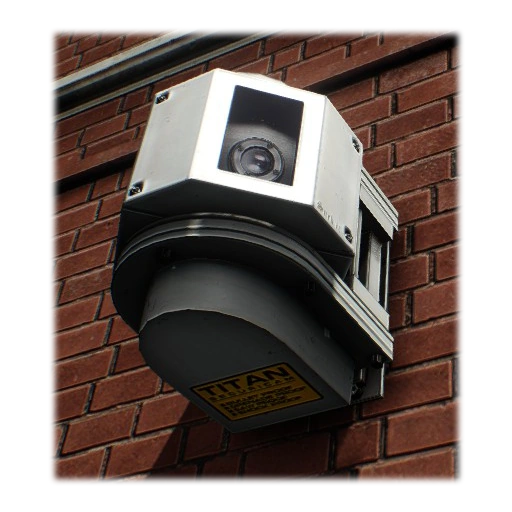
Titan cameras
Titan cameras were introduced in the Death Wish update that came with update #24.
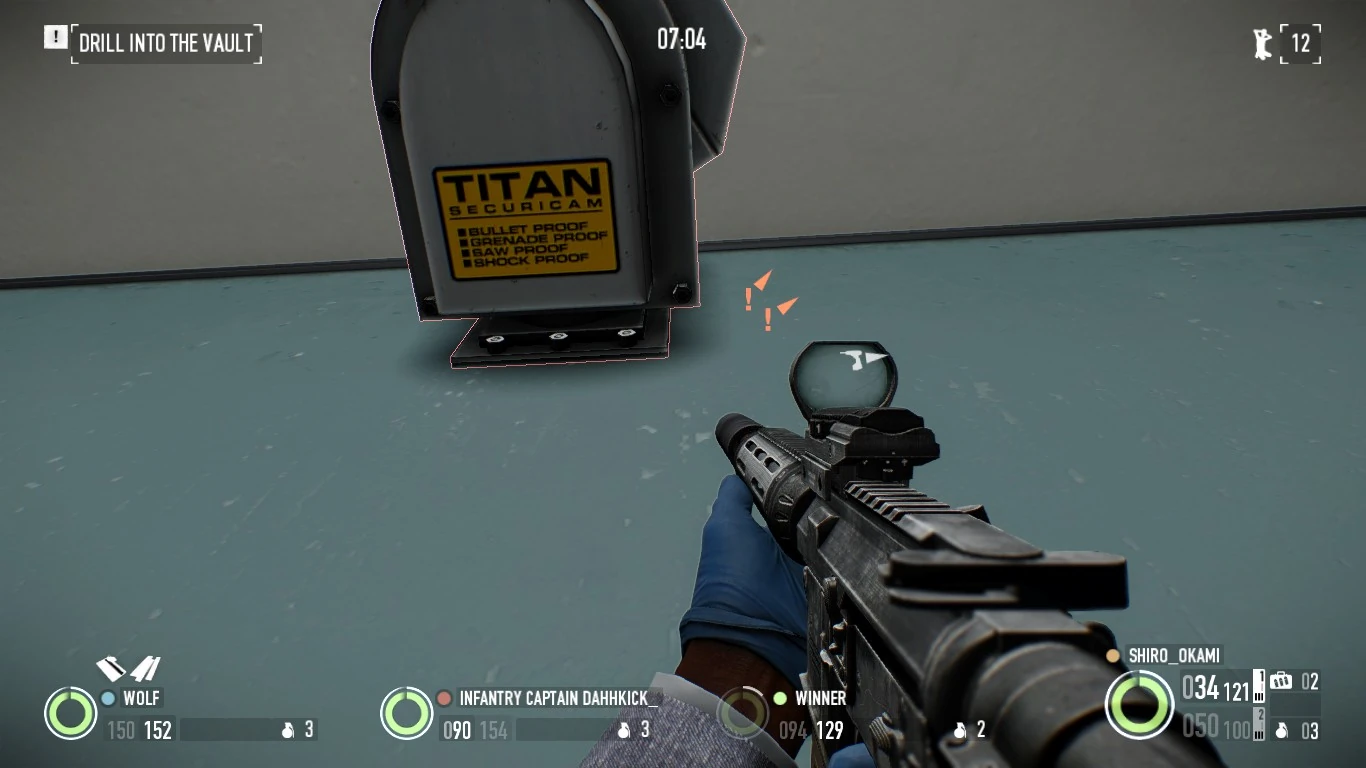
Titan cameras are the improved version of normal cameras. They only spawn on certain heists when playing on the Mayhem (Death Wish prior to the Housewarming party update) difficulty, or higher. Whether or not a heist (or day of a heist) features Titan cameras usually depends on whether or not that map has a security room that can be hit, though there areseveralexceptions.
Unlike normal cameras, Titan cameras cannot be destroyed or damaged in any way. However, they can still be temporarily disabled by an ECM jammer or an active Camera Loop and permanently disabled by eliminating the camera operator.
Drones
Hostile drones were first encountered in Murky Station. They are still classified as security cameras but with major differences. Due to the fact they hover in midair, a camera loop cannot be applied to them. They have a greater detection range and can travel around the trainyard. On Mayhem, they are upgraded with a Titan camera variant, making their cameras indestructible as well.
A distinctive audio cue will be heard when a drone is "charging" up, alongside with the red light shining on the ground. After a few seconds, the drone will emit a white light and its camera will then become active. Drones will not stay indefinitely on however, as after a set amount of time, a drone will turn off and retreat back to its original position. While shooting at a drone on Overkill and lower difficulties will destroy the camera, guards may be alerted when they see a broken drone, just like with broken cameras. As such, the only other defenses against them are to jam drones with an ECM jammer or wait until they move. Drones have no camera operator attached to them.
Avoiding and dealing with cameras
Cameras can be destroyed on any difficulty below Mayhem by simply shooting them once, preferably with a silenced weapon, or using a melee or a quiet throwable weapon on them. However, any security guard that spots a broken camera will become alerted and attempt to raise the alarm; thus, it is advisable to dispose of any guards that might still be roaming around the area in which the camera has been destroyed. Broken cameras are effectively destroyed and will not detect anything whatsoever.
On some heists, breaking a camera might cause the camera operator to send one of the guards present to investigate. This will happen immediately after destroying the camera and can be anticipated by looking for guards that use their in-ear headsets, and listening for nearby radio chatter. This can be exploited by clever heisters to lure guards away from their usual patrol by destroying a camera in a remote place and waiting for the guard to come investigate. Security guards that are sent to investigate destroyed cameras will do one of two things: they will either become suspicious, draw their weapon and attempt to sound the alarm; or more rarely, walk up to the camera, try waving at it and then leave it alone, assuming it to be a technical fault. If the guard becomes suspicious, then even if that guard is dealt with, other guards in the future will also become suspicious when they see it. However, if they suspect nothing, then other guards will also ignore the broken camera, should they pass by it. Civilians and gangsters are never alerted by broken cameras, and so on some heists such as GO Bank, players can pick off cameras near civilians without arousing any suspicion, provided no guards or other cameras notice the destroyed camera.
The security room in Shadow Raid, along with its late operator
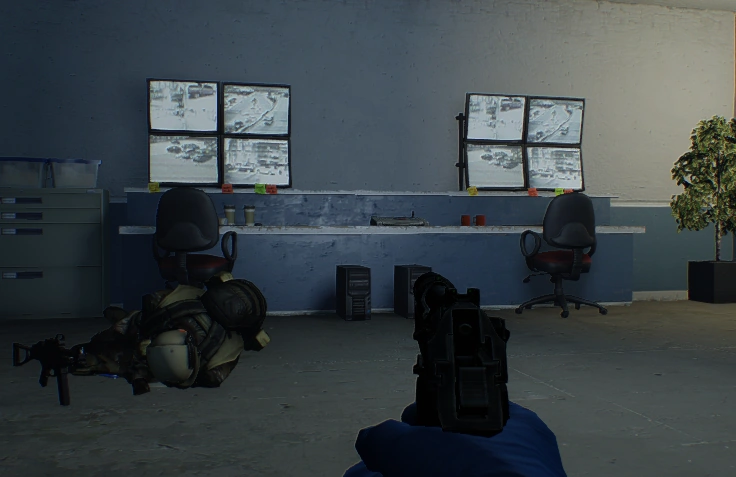
Certain heists also include a security room, usually locked behind a very resistant security door but can sometimes be locked behind a simple metal door (e.g. Hoxton Revenge) or even completely exposed (e.g. Election Day Day 2). Inside this security room, there is a camera operator, who is usually a guard with a pager, who watches the camera feed. Players can permanently disable all cameras on the map by killing or otherwise incapacitating said camera operator.
After eliminating the camera operator, players will now have access to the camera feed from inside the security room, which can be used to spot guards or civilians/objects of interest.
Though the cameras themselves do not move and have a fixed field of view, the player looking through a camera may pan with the mouse and zoom with the forward and backward movement keys ('W' and 'S'). When a player looks through a camera, guards and items of interest within the camera's view (whether or not they are visible in the player's view through the camera) will immediately be highlighted for several seconds for all players to see.
A player using the camera feed cannot see their own HUD. Thus, if one only uses cameras to highlight guards and objects, it is more advisable to enter camera feed view mode, quickly "flip" through all the cameras and exit, then repeat whenever the highlight fades. This will allow them to keep an eye on their environment in case a guard or civilian show up. Players can still use the in-game chat when operating the camera feed.
Note that however, any cameras that have been destroyed prior to that will still get spotted by guards and prompt them to sound alarms. Additionally, if a camera has been fully alerted prior to taking the operator down, killing him or destroying the camera afterwards will not stop the alarm from going off.
Guards will not be sent to investigate any additional destroyed cameras once the camera operator has been taken care of, since it is the operator that sends them to do that. As such, it is advised to use any available camera lure before doing so in order to thin the guards' numbers as much as possible.
Players with Nimble can temporarily disable cameras for 25 seconds by walking up close and applying a camera loop. Only one camera per crew can be looped at a time. Looped cameras will not detect anything and will not raise any suspicion if spotted by guards or civilians and can be identified by their cyan outline, which will begin to blink and play an audible beeping noise when the loop is ending. Once this has happened, the loop can be reapplied to the camera, restarting the 25 second timer without the camera detecting anything. This can be exploited by players who may need extra time to disable the camera completely or removing the object of suspicion. Additionally, placing an ECM Jammer will disable all cameras for the duration of the jam. Because of this, having at least one Ghost in the crew can be highly beneficial when attempting a difficult stealth heist with many cameras and the camera operator cannot be reached.
Detection risk
Your detection risk, which is determined by the concealment of your equipment, can be simply described as the level at which your detection meter starts when you are first spotted. However, other factors are involved in calculating rate of detection, namely the distance and angle from the observer to the player and the type of observer. Detection risk ranges from 3 to 75. Once the player's detection risk reaches 3, continuing to increase concealment will not further decrease the detection risk. Conversely, once the player's detection risk reaches 75, continuing to decrease concealment will not further increase detection risk.
Said detection meter is an on-screen meter that appears in the center of the screen (centered on their crosshair), consisting of a symbol (either a ? when spotted or a ! when alerted) and a percentage value surrounded by two colored half-circles (showing blue and orange, depending of detection progress. Whenever the player is spotted by a civilian, guard or camera, the detection meter will appear on-screen, with the detection percentage starting at the value specified by the detection risk (e.g. a detection risk of 3 means the meter starts at 3%), and then gradually increasing from there as long as the player remains on view of the spotting entity. As detection builds up, the colored half-circles will also build up, going from blue at 3%-49% and becoming orange at 50% and above. A ? sign will be displayed both in the meter and above the spotting entity as long as the player is being seen, but not fully detected. If the detection meter reaches 100%, the ? sign will turn into a ! sign and a loud sound cue will play, indicating that the player has been fully spotted. The same sign will be displayed above the spotting entity, indicating that they are now fully alerted. Being fully detected will trigger the following responses:
If a civilian was alerted, said civilian will panic and attempt to flee, call the cops, raise the alarm or alert nearby guards.
If a guard was alerted, said guard will attempt to arrest the heister, (with some exceptions detailed above), and raise the alarm afterward, otherwise open fire and raise the alarm immediatly.
If a camera was alerted, then the alarm will irreversibly be raised after 7 seconds.
Regardless of whether the player is being spotted by a camera or person, the rate at which the detection meter increases is determined by the player's distance and angle relative to the observer. Players or objects close to and directly in front of an observer are detected more quickly than those far away from and at wide angles to the observer (that is, toward the sides of the observer's field of view).[2] Once the meter reaches 100%, the player will be detected and this usually results in an alarm being triggered unless the person or device which detected the player is neutralized. In the case of cameras, once the meter reaches 100%, the alarm will irreversibly go ff. The camera can be destroyed or disabled by ECM jammers or eliminating the camera operator, but if the camera became fully alerted (indicated by a solid uninterrtupted beep tone), the alarm will inexorably sound 7 seconds later.
Detection risk also plays a role in loud gameplay by reducing the distance from which a player can be targeted, from a maximum distance of 180 meters at 75 detection to a maximum distance of 80 meters at 3 detection.
Your total concealment is the sum of the concealment values of your primary, secondary and melee weapons, your armor, and the concealment bonus from your skills, added together.
Basic Chameleon, contrary to the description, slows down the build-up rate of the detection meter by 25% when in casing mode (i.e., before the mask is on). While it does make the player less noticeable in casing mode, it does not affect the concealment or detection risk values at all, contrary to the description.
Basic Inner Pockets grants +2 concealment to melee weapons. Given that this applies to all melee weapons and that the player must carry one at all times, this is essentially a flat +2 concealment.
Aced Optical Illusions grants +1 concealment for each silenced weapon and reduces the concealment penalty of silencers by 2.
The tier 4 bonus of all of the Perk Decks includes +1 concealment at all times.
Detection risk calculation
Detection risk is lowest (3) at a Concealment rating of 119 or above.
Concealment
119
118
117
116
115
114
113
112
111
110
109
108
107
106
105
104
103
102
101
100
99
98
97
96
95
94
93
92
91
Detection risk
3
4
6
7
9
10
12
13
14
16
17
19
20
22
23
26
29
32
35
43
45
46
49
52
55
58
63
69
75
Note that the above table can be inaccurate by small amounts in specific cases; the unmodified UAR and JP36, with concealment values of 20 and 19, respectively, will both provide the same detection risk, despite having different listed concealment values. It appears that all weapons with 19 or 20 concealment are indistinguishable in terms of detection risk, and there is no functional difference between the two values. The cause for this is unknown, and it is not known whether this phenomenon occurs at other concealment values as well.
With a Two-Piece Suit, any melee with a base concealment of 30, and including the +2 concealment from having basic Inner Pockets active and the +1 concealment from any tier 4 Perk Deck bonus, it takes 56 additional concealment combined from primary and secondary weapons in order to reach the lowest detection risk of 3.
Before being used in detection calculation, detection risk is converted to a concealment multiplier according to the table below. The minimum detection time in a particular scenario is multiplied by this number, meaning that low detection risk increases the time it takes to be detected (it slows down the detection meter build-up). Furthermore, the distance from which a player can be detected is divided by the square root of this number, meaning that a lower detection risk results in a lower detection radius.[2]
A large number of civilians dot the maps, most usually in heists taking place in public places with stealth as the main approach where they pose a hindrance to the crew by way of detection. Unlike guards and cameras, civilians cannot detect a player in casing mode, though will quickly panic at the earliest sight of one with a mask on and weapons out, and cannot be pacified if fully alerted. Panicking civilians will usually either seek out the nearest viable panic button, call the police, or simply run outside the map boundaries where an alarm will inevitably be raised.
Players may shout at civilians to intimidate them and get them to lie on the ground, or produce any kind of noise if they have Stockholm Syndrome which gives the same result. This temporarily gets them to stay down in one spot, keeping them out of the line of fire or delaying their attempts at contacting the police, though if not kept a close eye on they will eventually rise up again and resume their phone call(s) or race towards the nearest source of alarm. Civilians on the ground can be restrained with cable ties to render them immobile until moved by the players.
The players are discouraged from killing civilians; killing a civilian will immediately deduct funds from the killer's spending cash in the form of cleaner costs (regardless of whether the heist is completed or not).
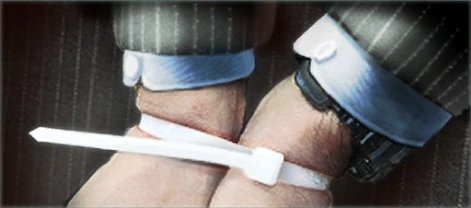
Cable ties are used to take civilians hostage. When civilians are ordered to lie down, a player can use cable ties to tie them up. This turns them into hostages and prevents them from running away, raising the alarm or alerting the police.
All players originally start out with 2 cable ties but it is possible to get 4 more by getting the respective upgrade, for a total of 6 cable ties per heister. This is done through the Forced Friendship skill:
Forced Friendship
Mastermind: Controller
Tier 1
Basic (1 pt): Increases your supply of cable ties by 4. You can tie hostages 75% faster.
Ace (3 pt): You and your crew gain 0.5 damage absorbtion for each hostage you have. This effect stacks up to a maximum of 8 hostages. Note: This skill does not stack with other Forced Friendship skills.
When a civilian is tied, they will be unable to alert the police and unable to move, and must wait for a police officer to free them. A number in the top right of the screen will show the number of cable-tied hostages the crew has secured. Cable-tying all civilians will prevent them from triggering an alarm by cellphone calls or panic buttons while stealthing. If a heist goes loud, hostages can be used to perform a hostage trade, exchanging one hostage to free a heister from police custody, returning them back to the crew.
Cable Guy used to grant 8 additional cable ties before later patches reduced it to 4. Cable Guy's effect was eventually integrated into the current Forced Friendship skill.
Cable-tied civilians can still be moved around by interacting with them, thus enabling the crew to reposition them in an area where law enforcers cannot easily reach them in order to prevent them from being rescued, or simply to move them out of the line of fire/hot zones where accidental civilian casualties can occur. To order moving civilians to sit down, either move far enough away from them or interact with them again.
Strategies
The importance of cable ties is dependent on the mission.
Although cable ties' quantity are quite limited, saving them up is also completely useless as they do not give any benefit when kept in inventory to the end. They are merely tools of the trade, not valuables.
Several heists, like Art Gallery and Cook Off, do not possess civilians, making cable ties useless.
Tying down civilians (usually Bank Managers) with keycards will make them drop those, preventing the need to kill them and avoiding cleaner costs.
Only three heists outright require players to control civilians to complete a stealth objective: The Diamond, Hoxton Revenge, and First World Bank. Of these, only Hoxton Revenge requires cable ties, as the FBI Boss must be kept alive until he uses the retinal scanner. In the other two heists, civilians can simply be killed to acquire their keycards if needed.
The pathing of hostages is tied to the game's host; if connection is poor, expect to see the hostage(s) walk about back and forth before finally reaching your destination. If a hostage seemingly cannot find their way to you, you can interact with them to make them lie down and get up again to reset their pathfinding and make another attempt.
Painting Yourself Into a Corner On day 1 of the Framing Frame job, steal all sold paintings without being seen.
I Wasn't Even There! On day 3 of the Framing Frame job, send the gold by zip-line without ever tripping the alarm.
Guessing Game On day 2 of the Firestarter job, complete the heist in stealth without hacking the computer.
Is Everything OK? In the GO Bank job, complete the heist without having the alarm go off at any point.
We Are All Professionals In the GO Bank job, complete the heist without the alarm going off and without killing any civilians on the OVERKILL difficulty or above.
I'm a Swinger In the Election Day job, complete the heist in stealth and swing the votes to the republican favour.
Death Wish Swinger In the Election Day job, complete the heist in stealth and swing the votes to the republican favour on the Death Wish difficulty.
Hot Lava 2.0 On day 1 of the Election Day job, use the computer in stealth without ever touching the ground.
Don't Bring the Heat In the Big Bank job, complete the heist without triggering the alarm. Unlocks the CQB Stock for the Falcon rifle.
Entrapment In the Big Bank job, complete the heist with 12 bags in the default escape with the all lasers active. Unlocks the CQB Foregrip for the Falcon rifle.
Special Operations Execution Kill 25enemies while in stealth using the Trench knife. Unlocks the Red Bear mask, Short Barrel, Suppressed Barrel, Short Mag, Folded Stock, No Stock, Solid Stock, Heatsinked Suppressed Barrel for the Patchett L2A1 submachine gun, Barrel Sight 44, Damper.L 44 Nozzle for the Broomstick pistol, “Red Sun” material and “Death Dealer” pattern.
Hail to the King, Baby In the Golden Grin Casino heist, kill "The King" and complete the heist in stealth. Unlocks the "Sports Utility Mask" mask, "Carpet" material and "Dices" pattern.
Shuriken Shenanigans Complete a single heist in stealth using only the Shuriken throwable and killing at least 4 enemies. Unlocks the "Kuro Zukin" mask, "Bamboo" material and "Koi" pattern.
1337 Complete the First World Bank job in stealth under 13 minutes and 37 seconds.
What? You Want Me to Dance? Complete the Scarface Mansion job in stealth in 13 minutes or less on the Mayhem difficulty or above. Unlocks the "Barrori Flex" mask, "Red Velvet" material and "Coin" pattern.
Just like PAYDAY 2, stealth is given another overhaul in PAYDAY 3. Players no longer need to worry about concealment or detection risk, as all detection meters will behave the same regardless of what equipment the player uses. Additionally, guards have received a noticeable upgrade to their AI and maps are now divided into distinct zones with different security levels.
The significant overhaul made to PAYDAY 2's stealth system in PAYDAY 3 has been outlined in its respective article.
Trivia
Example of a "floating" civilian.
When using the cable ties in both games, they are not visible in 3rd person, yet the person tied has their hands close together.
Civilians may sometimes clip into level geometry or "float" on top of objects when bound by cable ties. These may obstruct vision and pose accidental hazards to the crew as they can still be shot as usual.
If the player leaves casing mode around guards or civilians, there will be a brief period of slow motion to allow them to react. This does not occur when masking up around cameras, though, so beware.
The Titan "SecuriCam's" specs.
If a player were to look at the Titan Camera's inside closely, they could see above the camera part a text that says "I can see you" in newspaper-title text. Another piece of text on it (also found on TITAN safes) says "Suck It."
The camera feed always displays the player's current system time, which can sometimes cause a slight temporal mismatch such as a daytime clock time being displayed in a night-time heist.
That being said, this isn't entirely unrealistic, however, as one plausible explanation would be that the people who installed the security systems simply didn't bother setting in the correct time for whatever reason when setting up the camera feed. Certainly a bit odd, but not impossible.
Example of a player carrying a bag in casing mode.
It was possible, due to a glitch in the earlier versions of the game, that a player could carry a bag in casing mode. The bag would rarely transfer to another heist if the player escaped while carrying it. Strangely, it was only able to be seen by other people, not the actual player carrying it.
Somewhat oddly, shining a light or turning on a laser sight will not alert civilians and security guards, even if aimed in their direction.
NPCs will not be suspicious upon seeing certain "disturbances". For instance, bank employees are unfazed if they see an opened vault door and civilians will not be alerted if a security camera is destroyed in their vicinity.
Security guards will not investigate the crew's escape/loot vehicles despite them being parked nearby (or in) highly restricted areas. However, in Hoxton Revenge, the outside guards may come near the vehicle to patrol.
Although heisters can stay in stealth mode in Counterfeit and Undercover in their remake versions, the heists will automatically go loud after a set time and thus, cannot be completed in stealth without the use of glitches.